Ask any restaurant owner what the most visited page on their website is and most will guess the homepage. It is almost never the homepage. It is the menu. Roughly 77% of diners look up a menu online before deciding where to eat, which makes that single page the closest thing your website has to a front door.
And on a huge number of restaurant sites, that front door is a PDF. Someone taps “Menu” on their phone, waits, and then gets a document designed for a sheet of paper, on a screen the size of their hand. That one decision quietly costs orders every single night.
Why diners bounce on PDF menus
A print menu exported to PDF is usually between 2 and 8 MB. On mobile data or crowded restaurant Wi-Fi, that means a three to ten second wait before a hungry person sees a single dish. Around 70% of restaurant website visits now come from phones, and those visitors are often standing on a sidewalk choosing between you and the place next door. They do not wait.
If the file does load, the experience gets worse. The reader has to pinch, zoom, and drag around a page laid out for print. Prices sit in tiny type. There is no way to tap a dish and order it. Every extra gesture between curiosity and checkout is a place where someone gives up.
Google cannot read your PDF
The bigger cost is invisible. When your menu lives inside a PDF or an image, search engines cannot reliably read what is in it. Your dish names, your descriptions, and your prices simply do not exist as far as Google is concerned.
That matters more every year. People do not only search for “restaurants near me” anymore. They search for the specific thing they want to eat tonight: birria tacos, gluten free pizza, ramen delivery. If your menu is a picture of text, you cannot rank for any of it, and your competitor with a plain HTML menu wins the search you should have owned.
The same applies to AI assistants. When someone asks ChatGPT or Google’s AI results for a place nearby that serves a particular dish, those systems read structured, machine readable pages. A PDF menu makes your restaurant invisible to the fastest growing way people are choosing where to eat.
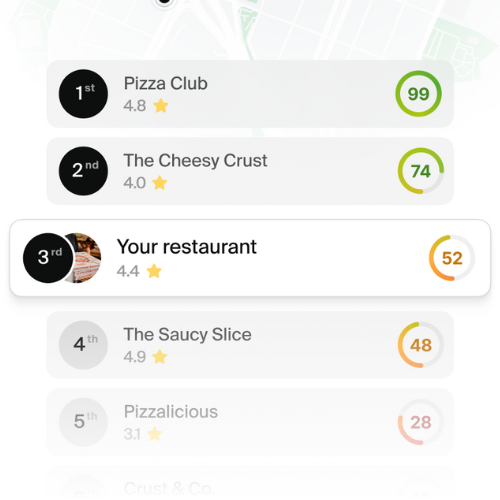
See how your restaurant ranks locally
What a real menu page looks like
Replacing a PDF is not a redesign project. It is one page done properly. Here is what it needs.
Real text, not an image
Every dish name, description, and price should be selectable text in HTML. This is the single change that makes your menu readable by search engines, screen readers, and translation tools all at once.
Sections a thumb can navigate
Group dishes into clear categories and let visitors jump between them without scrolling through everything. Starters, mains, drinks, desserts. On mobile, a sticky category bar at the top does more for conversion than any visual flourish.
Photos on your best sellers
Photo based menus convert meaningfully better than text only ones. You do not need a shot of all sixty items. Photograph the ten dishes you actually want to sell and the ones with the best margin.
An order button on every dish
This is where most menu pages stop short. A diner who has just read about your short rib should be able to add it to an order right there. If your menu is a dead end that forces people to call, or worse, sends them to a delivery marketplace that charges you commission, you built a beautiful brochure instead of a sales page.
Add menu schema markup
Schema markup is code that tells Google exactly what your page contains. For restaurants, the Restaurant and Menu types let search engines display your price range, hours, and dishes directly in results. Listings with this markup earn noticeably higher click through rates, and in practice it is one of the highest return technical changes available to a restaurant site.
Most modern restaurant website builders generate this automatically from your menu data. If yours does not, it is worth asking whoever maintains your site to add it.
Keep prices current between services
A PDF menu has a hidden operational cost. Changing one price means reopening a design file, exporting, and re uploading, so most restaurants simply do not bother. Old prices stay online for months, and staff spend their shift apologizing for a number a customer read on your website.
A structured menu page updates in seconds from a phone. Sold out of the special? Turn it off before service instead of after the third disappointed table.
Start with one page this week
You do not need to rebuild your whole website to fix this. Take the PDF down, put the menu up as a real page with real text, add photos to your top sellers, and put an order button next to every item. That is an afternoon of work against a page that quietly touches almost every customer who considers you.
RAY builds restaurant websites with the menu page already structured the way search engines and diners both need it, with commission free ordering built directly into every dish. Your menu stops being a document people download and becomes the page that actually sells.
Build a fast, order-ready restaurant website with RAY

