
Your Google Business Profile is the front door to your restaurant. It is where hungry people find your hours, read your reviews, tap for directions, and decide whether to walk in tonight. So when Google suspends that profile, your restaurant effectively vanishes from Maps and local search overnight. No pin. No reviews. No walk-ins.
Suspensions have become one of the most common and most damaging problems restaurant owners face in 2026. Google has tightened its automated review systems, and freshly created or recently edited profiles are getting flagged within days. The good news: most suspensions are avoidable, and almost all are recoverable if you act the right way. Here is how.
What a suspension really means
When Google suspends your profile, one of two things happens. A soft suspension hides your ability to manage the listing, but the profile may still appear. A hard suspension removes the profile from Google Search and Maps entirely, wiping out your reviews and your visibility in one move.
Either way, the clock starts ticking. Every day your restaurant is missing from Maps is a day of lost discovery from the exact people searching “restaurants near me” a few blocks away. For a busy dinner service, that is real revenue walking to a competitor instead.
Why restaurants get suspended
Suspensions in 2026 almost always trace back to a handful of triggers. Knowing them is half the battle.
- Keyword-stuffed business name. Adding “best,” a city name, or a cuisine keyword to your listing name is one of the fastest ways to get flagged. Use your real-world name only, exactly as it appears on your signage.
- Inconsistent address or phone. Your name, address, and phone number must line up across your website, your legal registration, and your other listings. Mismatches look like fraud to Google’s systems.
- P.O. boxes or virtual addresses. Restaurants need a real, staffed location. Anything that looks like a fake address invites a review.
- A burst of quick edits. Changing your name, category, address, and phone in the same afternoon, especially on a new profile, looks like someone trying to hijack a listing.
- Category mismatch. A category that does not match your real operation can trip the automated filter.
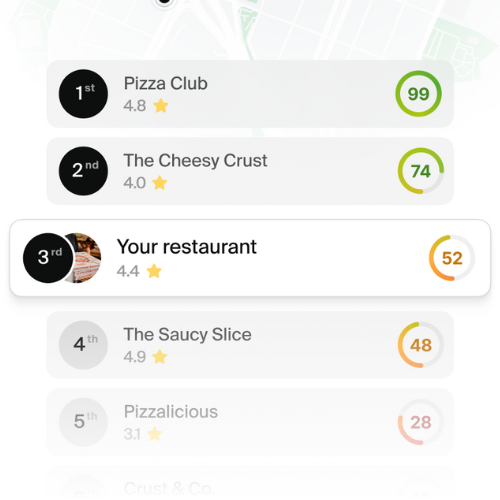
See how your restaurant ranks locally
How to avoid a suspension
Prevention is far cheaper than recovery. Build your profile to look boring and legitimate, because that is exactly what Google’s systems reward.
- Match everything. Make your name, address, and phone identical everywhere online. Fix old directory listings that still show a former name or number.
- Edit slowly. If you need to update several fields, space the changes out over days rather than doing them all at once.
- Keep your documents ready. Have a business license, a recent utility bill, and clear photos of your storefront signage on hand. You want proof of a real restaurant at a real address before you ever need it.
- Add real signals. Regular photos, accurate hours, and a steady flow of genuine reviews all tell Google your restaurant is active and legitimate.
How to reinstate a suspended profile
If the suspension has already happened, do not panic and do not make it worse. Follow a clean, documented process.
Fix the violation first
Before you appeal, find and correct whatever triggered the flag. If your name was keyword-stuffed, change it back to your real name. If your address was inconsistent, align it. Appealing without fixing the underlying issue almost always fails.
File one appeal with proof
Submit a single reinstatement request through Google’s official appeals tool. Include documentation that proves your business is real: your license, a utility bill, photos of your signage, and a short video walkthrough if you can. Strong evidence is what moves a case forward.
Wait and do not duplicate
This is the most important rule. Do not create a new profile while your appeal is pending. A duplicate can lead to a permanent ban and make reinstatement impossible. A clean, well-documented single-profile case usually resolves in a few days to a couple of weeks, though some appeals take up to six weeks.
Turn recovery into resilience
Getting reinstated is a relief, but the goal is to never land there again. Treat your Google Business Profile as a living asset: keep it consistent, keep it active, and monitor it so you catch problems the moment they appear. Restaurants that stay visible on Maps capture the walk-in traffic that competitors with suspended or neglected profiles simply lose.
Managing all of this by hand across Google, Maps, and dozens of directories is where most restaurant owners run out of time. RAY keeps your business information consistent everywhere, monitors your Google Business Profile, and helps you build the steady stream of reviews and signals that keep you visible and drive more walk-ins.
Get more walk-ins from Google Maps with RAY

